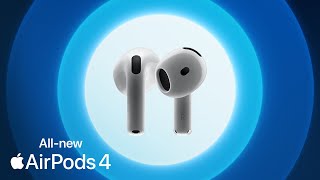
AirPods (4th Generation)

R2699.00

1

In case your 1st choice is out of stock...

Product Information

The AirPods (4th generation) represent the latest evolution in Apple’s iconic line of wireless earbuds, offering a refined and immersive audio experience tailored for the modern user. Designed with both performance and convenience in mind, these AirPods feature Apple’s powerful H2 chip, which enhances sound quality and improves connectivity.

The in-ear detection ensures seamless playback control, while the force sensor on the stem allows for quick, intuitive interaction with media and calls. The AirPods 4 also come with a redesigned USB-C charging case, offering up to 30 hours of total battery life, while a quick 5-minute charge provides about an hour of listening time—perfect for users on the go.

Specification

Benefits & Features
  • • Spatial Audio
  • • Improved sound and call qaulity
  • • Comfortable, sleek design
  • • Long battery life
  • • Dust, sweat and water resistant
Usage Instructions
  • • To pair AirPods 4 with an Apple device, open the charging case with the AirPods inside near the Apple device, then follow the on-screen instructions that appear for connection. After initial setup, AirPods automatically connect to other Apple devices signed in with the same Apple Account.
  • • To pair AirPods 4 with a non-Apple device, ensure the AirPods are in their open charging case, then double-tap the button on the front of the charging case until the indicator light begins blinking white. The AirPods are now in pairing mode and can be selected from the Bluetooth settings of the non-Apple device.
  • • To play or pause audio, press the stem on either AirPod once; press the stem again to resume playback.
  • • To skip to the next track, double-press the stem on either AirPod.
  • • To go back to the previous track, triple-press the stem on either AirPod.
  • • To answer an incoming call, press the stem on either AirPod.
  • • To end a call, double-press the stem on either AirPod.
  • • To mute or unmute during a call, press the stem on either AirPod once.
  • • To switch between Active Noise Cancellation, Transparency mode, and Adaptive Audio (for AirPods 4 with Active Noise Cancellation only), press and hold the stem on either AirPod, ensuring this action has been configured in the AirPods settings.
  • • To activate Siri, press and hold the stem on either AirPod, waiting for a chime before speaking, or simply say "Siri" or "Hey Siri".
  • • To accept a call or reply to notifications and messages using Siri, nod your head up and down when prompted by Siri.
  • • To decline a call or dismiss notifications and messages using Siri, shake your head side to side when prompted by Siri.
  • • To adjust volume, use the controls on the connected device or ask Siri to change the volume.
  • • To listen to audio on a single AirPod, simply place one AirPod in an ear; audio will automatically play through the single AirPod.
  • • To locate misplaced AirPods, use the Find My application on a connected Apple device; the application can show the last known location or play a sound from the AirPods to assist with finding them when nearby.
  • • To conserve battery, remove one AirPod from your ear when not actively listening to audio; playback will automatically pause.
  • • To recharge AirPods, place them into the charging case. The charging case can be recharged using a USB-C cable, an Apple Watch charger (for AirPods 4 with Active Noise Cancellation), or a Qi-certified wireless charger (for AirPods 4 with Active Noise Cancellation).
  • • To customise force sensor or double-tap actions, access the AirPods settings on a connected Apple device.
  • • To use Live Listen, enable the feature in the accessibility settings on a connected Apple device; this allows the iPhone to act as a microphone, sending audio to the AirPods.
  • • To reset AirPods, place them in the charging case, open the lid, then press and hold the button on the back of the case until the status light flashes amber, then white.
Microphone
Yes
Form Factor
In-ear
Colour
White
Connectivity
Bluetooth 5.3
Noise Isolation Technology
Noise Cancelling
Battery Life (Hours)
4 to 10 Hours
Warranty Type
Direct Supplier Warranty
Warranty Period
12 Months
What's in the box?
  • • 1 x AirPods 4
  • • 1 x Charging Case (USB-C)
  • • 1 x Documentation