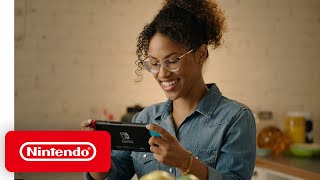
The Nintendo Switch Console 32GB Red/Blue's adaptable and engaging design allows you to play games similar to those on a home console without a TV making it a great choice for gamers on the go.
Its 6.2 inch multi-touch capacitive LCD screen, which has a resolution of 1280 x 720, ensures clear visuals when on the road. Smooth gameplay and simple connectivity are guaranteed by this console's 32GB internal storage, Bluetooth 4.1, and Wi-Fi compatibility (IEEE 802.11 a/b/g/n/ac). Hours of continuous enjoyment are offered by the 4310mAh Lithium-ion battery, and you can play anywhere, at any time, with 3 flexible play modes TV, tabletop, and portable. The Nintendo Switch adjusts to your lifestyle, making gaming accessible whether you're at home or on the move.
Specification
Benefits & Features
• Vibrant Display & Smooth Gameplay: The 6.2-inch multi-touch capacitive LCD screen with a 1280 x 720 resolution delivers crisp visuals, ensuring an immersive experience while gaming on the go.
• Seamless Connectivity & Storage: With 32GB internal storage, Bluetooth 4.1, and Wi-Fi compatibility (IEEE 802.11 a/b/g/n/ac), enjoy smooth gameplay and effortless connection to other devices.
• Versatile Play Modes & Long Battery Life: Enjoy up to hours of uninterrupted play with the 4310mAh Lithium-ion battery, and choose from three flexible play modes—TV, tabletop, or portable—for gaming at home or on the move.
Usage Instructions
• System Power: Press the Power button located along the top edge of the console to switch the system on for initial setup and regular use.
• Attaching Joy-Con Controllers: Align the rails on the side of the console with the corresponding rails on the Joy-Con controllers, then slide them downwards until a distinct clicking sound confirms they are securely locked into place.
• Charging Controllers: Attach the Joy-Con controllers to the console while it is either docked or connected to the AC adapter to fully recharge their internal batteries.
• Connecting To Television: Place the console into the dock connected to the TV via the HDMI cable and AC adapter to enjoy gameplay on a larger screen in TV mode.
• Handheld Mode Gaming: Lift the console out of the dock with the Joy-Con controllers attached to instantly transition to portable gaming on the go using the built-in screen.
• Tabletop Mode Setup: Flip out the kickstand on the back of the console to prop the screen on a flat surface, allowing for shared screen play using detached Joy-Con controllers.
• Wireless Internet Connection: Access the Internet settings within the System Settings menu to connect the console to a Wi-Fi network for online features and digital downloads.
• Inserting Game Card: Place physical game cards into the designated slot on the top edge of the console, ensuring the label faces the correct way up until it clicks into position.
• Screen Brightness Adjustment: Modify the display brightness level via the System Settings menu or hold the HOME button to access Quick Settings for convenient changes.
• Data Storage Expansion: Insert a compatible microSD card into the console's card slot beneath the kickstand to increase the 32GB internal memory for more game storage.