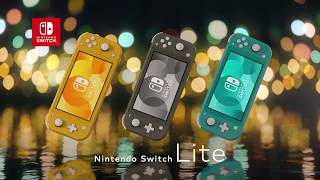
The Nintendo Switch Lite Console 32GB in Coral blends accessibility and performance for those who prefer to play while on the move.
At 1280x720, its 5.5 inch LCD touchscreen provides clear visuals, giving each game a lively appearance. You can easily keep your favourite games on the 32GB internal storage, and Bluetooth 4.1 enables smooth connectivity with supported accessories. The 3570mAh Lithium-ion battery guarantees hours of enjoyment with extended playtime without the need for frequent recharges. This console is perfect for both young and adult gamers who love to play games wherever they go because it is designed for handheld play.
Specification
Benefits & Features
• Vibrant Visuals: The 5.5-inch LCD touchscreen with 1280x720 resolution delivers clear and lively visuals for an enhanced gaming experience.
• Ample Storage & Connectivity: With 32GB of internal storage and Bluetooth 4.1, you can easily store your favourite games and connect to supported accessories without hassle.
• Long-Lasting Playtime: The 3570mAh Lithium-ion battery ensures hours of uninterrupted gaming fun, making it perfect for on-the-go play without frequent recharges.
Usage Instructions
• Initial Charging: Fully charge the console before first use by connecting the included AC adapter to the USB-C port at the bottom and a wall socket.
• Powering On: Press and hold the POWER Button, located on the top edge, for a few seconds until the Nintendo logo appears on the screen.
• Basic Navigation: Use the Left Stick or +Control Pad to move between icons on the HOME Menu, and press the A Button to select.
• Inserting Game Cards: Open the slot cover on the top-right edge, insert the game card with the label facing the screen until it clicks, then close the cover securely.
• Accessing Digital Games: Digital games purchased from the Nintendo eShop will appear as icons directly on the HOME Menu once the download is complete.
• Connecting To Wi-Fi: Go to System Settings, select Internet, then Internet Settings, choose the desired network, and enter the password when prompted.
• Adjusting System Settings: The System Settings icon on the HOME Menu allows customisation of features such as screen brightness, volume, and parental controls.
• Entering Sleep Mode: Briefly press the POWER Button to put the console into a low-power sleep state, suspending gameplay for later continuation.
• Powering Off Completely: Hold the POWER Button for at least three seconds, then select Power Options and choose Turn Off from the on-screen menu.
• Expanding Storage Capacity: Insert a microSD card into the dedicated slot, found on the bottom edge, to increase the available storage for digital games and software updates.