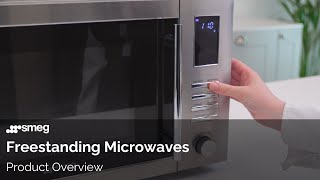
| Benefits & Features |
- A combination microwave, microwave with grill, and fan-assisted microwave.
- Features a stainless steel interior and a black glass exterior with a Dark Inox finish.
- A 25-litre capacity with a 31cm diameter turntable.
- An electronic programmer with a clock, a minute minder, and an end-of-cooking acoustic alarm.
- Includes a fan-assisted cooking function with a temperature range from 50°C to 250°C.
- Comes with 6 cooking functions: fan-assisted, turbo, microwave, microwave + fan, grill, and microwave + grill.
- A full-width grill with a power output of 1000W.
- Features 5 microwave power levels with a maximum output of 900W.
- An automatic cooking programme with 10 pre-set functions.
- A child safety lock to prevent accidental operation.
- Includes a cooling system to protect the appliance from overheating.
- Comes with a round wire rack and a glass turntable.
- A push-button door opening mechanism.
- A touch control display with a digital clock.
- An internal light to illuminate the cooking cavity.
|
| Usage Instructions |
- Plug in the microwave oven and ensure the power cord is securely inserted into a grounded wall socket. The display will show the time or '0:00' indicating it is in standby mode.
- To set the clock, press the 'Clock' button, then use the number pad to enter the current time in 24-hour format. Press 'Clock' again to confirm. For example, for 14:30, press 1, 4, 3, 0.
- For standard microwave cooking, place the food in a microwave-safe container on the turntable. Close the door firmly. Use the number pad to enter the desired cooking time. For a power level other than the default 100%, press the 'Microwave' button repeatedly to cycle through the power levels (P100, P80, P50, P30, P10). Press 'Start' to begin cooking.
- To use the grill function, place the food on the wire rack provided, ensuring it is positioned correctly on the glass turntable. Close the door. Press the 'Grill' button. The display will show 'Grill'. Use the number pad to enter the cooking time. Press 'Start' to begin. The grill element will heat up and begin to cook the food.
- For combined microwave and grill cooking, press the 'Combi' button. The display will show 'C-1' for combined cooking with the grill on, and 'C-2' for combined cooking with the convection fan on. Use the number pad to enter the cooking time. Press 'Start' to begin. This function is ideal for browning and crisping food while cooking it through.
- To use the auto-cook menu, press the 'Auto Cook' button repeatedly to select the desired food item from the pre-set options. The display will show a code for each item (e.g., A-1 for pizza, A-2 for potatoes). Once the item is selected, use the number pad to input the weight of the food. The microwave will automatically calculate the cooking time and power level. Press 'Start' to begin cooking.
- To defrost food by weight, place the frozen food on the turntable. Press the 'Defrost by Weight' button. The display will show 'dEF1'. Use the number pad to enter the weight of the food in grammes (g). The maximum weight is typically 2000g. Press 'Start' to begin. The oven will automatically set the defrost time and power level. The microwave may beep during the cycle, prompting to turn the food over for even defrosting.
- To defrost food by time, press the 'Defrost by Time' button. The display will show 'dEF2'. Use the number pad to enter the desired defrosting time. Press 'Start' to begin. This function provides more manual control over the defrosting process.
- To use the 'Quick Start' function, press the 'Start' button. Each press adds 30 seconds of cooking time at full power (100%). This is a convenient way to quickly heat food without setting a specific time. Cooking will start immediately.
- To pause cooking at any time, open the microwave door. The cooking will stop. To resume, close the door and press 'Start'. To cancel the cooking programme entirely, press the 'Stop/Cancel' button. Pressing this button twice will reset the microwave to standby mode.
- To use the child safety lock, press and hold the 'Stop/Cancel' button for three seconds. A lock icon will appear on the display, indicating the keypad is disabled. To deactivate the lock, press and hold the 'Stop/Cancel' button again for three seconds.
- To set the timer, press the 'Timer' button. Use the number pad to enter the desired time. Press 'Start'. The timer will count down and a beeping sound will indicate when the time has elapsed. This function does not involve cooking.
- After cooking is complete, a series of beeps will sound. Open the door and carefully remove the food using heat-proof gloves or oven mitts. The interior and food container may be hot. The microwave will return to standby mode after a few minutes.
|